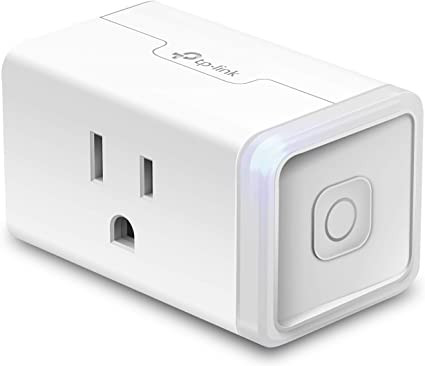

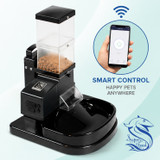
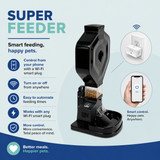

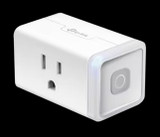
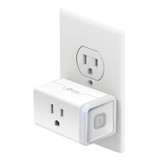
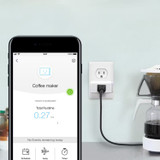
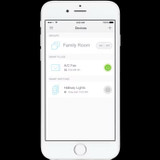

Operate your Super Feeder® remotely via Wi-Fi. The TP-Link HS103 Smart Wi-Fi Plug is perfect to control your Super Feeder remotely via cell phone. It is one of the easiest we tested to install and use.
Complete Wi-Fi Smart Super Feeder combos are also available with discounted bundled accessories. You may install several Wi-Fi Plugs and automatic pet feeders in different places within range of your local Wi-Fi router. You could also control the Super Feeder® by voice command with this mini Smart plug compatible with Amazon Alexa® and Google® accessories. A TP-Link High quality Camera (Amazon Affiliate Link) would be a great addition to monitor your pets and feeder! So many ways to operate your Super Feeder®! And this is what makes it so unique.
Systems we tested and recommend to control your automatic pet feeder: This TP-Link HS103 Mini Smart Plug for indoor use, or the TP-Link EP40 for outdoor use.
Features:
- Lite-duty Plug: A lighter version of Kasa Smart’s mini plug that can power any lite-duty device under 15 AMPs.
- No Hub Required: The Smart Plug works with a secured 2.4GHz wireless network without the need for a separate hub.
- Compact Design: The compact design of the Kasa Smart Wi-Fi Plug is smaller than other smart plugs and allows them to be stacked in the same outlet.
- Set Schedules: Schedule any device connected to the Kasa Smart Wi-Fi Plug Mini to automatically switch on or off if you’re home or away.
- Control From Anywhere: Turn your smart plug on and off, set schedules or scenes from anywhere with your smartphone using the Kasa Smart app.
- Voice Control: Use simple voice commands with your smart plug and any Alexa, Google Assistant.
- Grouping: Use Grouping to combine your smart plug with other Kasa Smart devices for seamless control with one single tap on your smartphone.
See our website for more information and operating instructions, including a User Guide, Datasheet & Quick Installation Guide (pdf download): www.Super-Feed.com/wifisockets-info.html
Instructions on operating your Super Feeder via cell phone, iPad, Android device and Voice command by Alexa® and Google® systems not supplied by Super-Feed:
First, be sure to adjust your Super Feeder’s desired portion size by plugging the power supply into a power outlet and adjusting the feed duration controller with the little supplied plastic screwdriver as explained in your feeder’s manual or video. Then plug the power supply into the Smart Plug after you have installed it just like you would to turn on a lamp or other appliance.
This Smart Plug will control/trigger your Super Feeder® remotely. Just follow straight-forward directions we include with the Smart Wi-Fi Plug. All you will need to do once installed is program suggested 2 minutes of “ON” time for each time of day you want to feed your pet. You MUST program “ON” and “OFF” times! i.e.: “ON” at 8:00 AM and “OFF” at 8:02 AM for each time of day or all week days you want to feed your pet, up to 15 times per day. The feeder will run only for the amount of time you previously adjusted it as per its intructions to give you the portion needed as described at top of this page and will stop on its own even while still powered. You may also “trigger” your Super Feeder® any other time than programmed by manually/remotely turning it on for a few seconds and turning it back off yourself from your cell or other device. You may install several Wi-Fi Plugs and trigger several feeders in different places within range of your local Wi-Fi router. Note: The feeder must have been powered down for at least 1-2 minutes between feed cycles to assure it can reset itself and trigger again. If it has not been powered down long enough like repeatedly turning it on and off, the feeder will not trigger again, which is normal.
Note: Some other Wi-Fi systems offered on the market today can have a lot to be desired and may be incompatible with the Super Feeder. As an example, a Wi-Fi socket on the market may not work if it does not turn off completely (some do and some may not like used for dimming lights), meaning that any residual power coming out of it during its off time will prevent the feeder from resetting itself between programmed feed cycles and will thus prevent it from triggering and operating properly.
For Wi-Fi control, we have tested and recommend this smart plug for mobile devices running iOS 8 or higher, Android 4.1 or higher with existing Wi-Fi network. Easy set up and use: 2.4GHz Wi-Fi connection required.